Online booking module
Bookings from your website, straight into the diary. No phone calls, no retyping.
Patients choose their doctor, service and time on the clinic’s website, whenever suits them. The appointment appears in the diary straight away, and the doctors and services on the website update automatically from the software.
190 RON / month / location · first 2 months free · 99 RON on the Practice plan, without automatic website updates
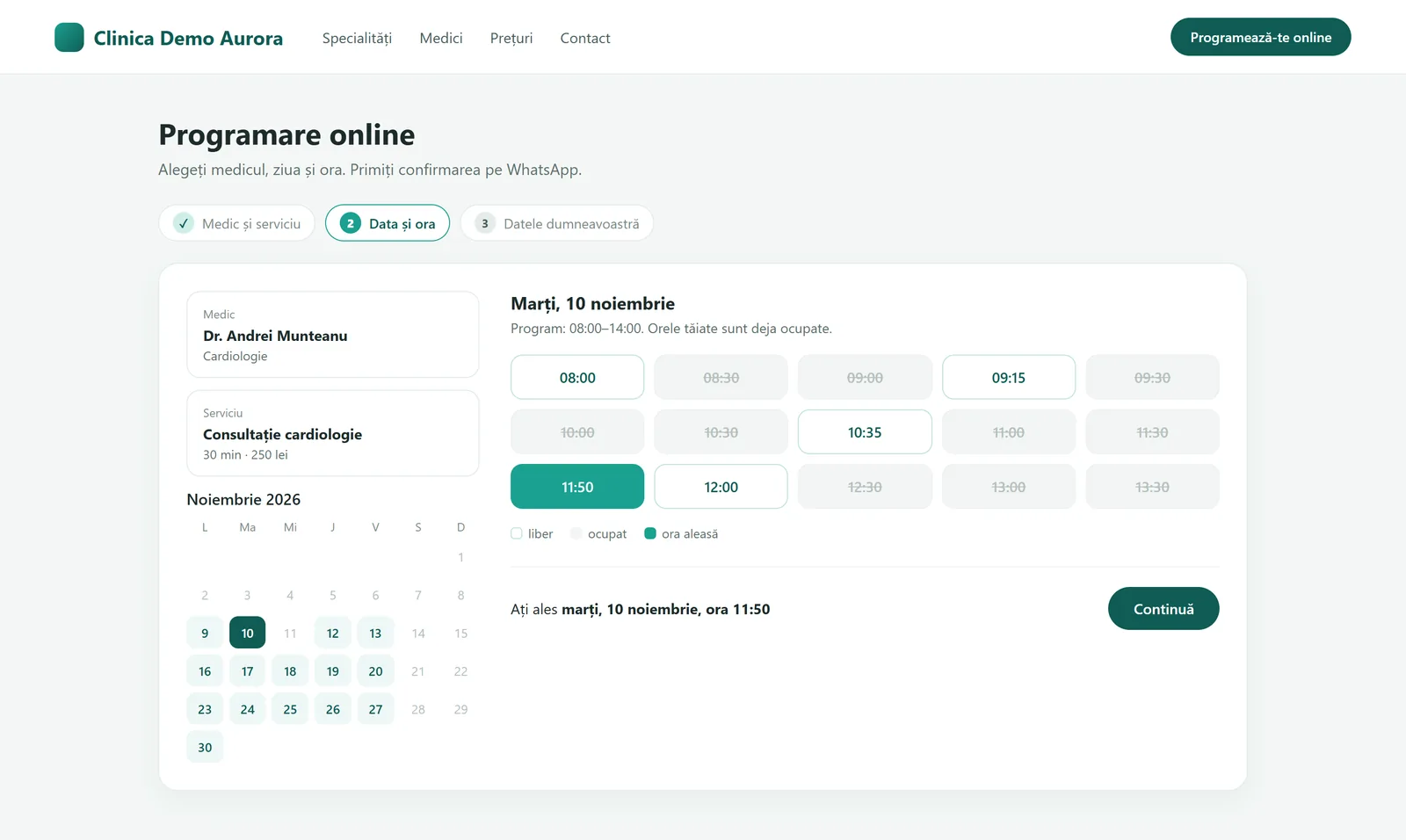
How it works, step by step
-
Step 1: The patient visits the website
They choose a doctor or service and see only the slots that are genuinely free, taken from the clinic’s diary.
-
Step 2: They send the booking
They enter their name and phone number. A discreet anti-bot check stops automated submissions, with no pictures to click.
-
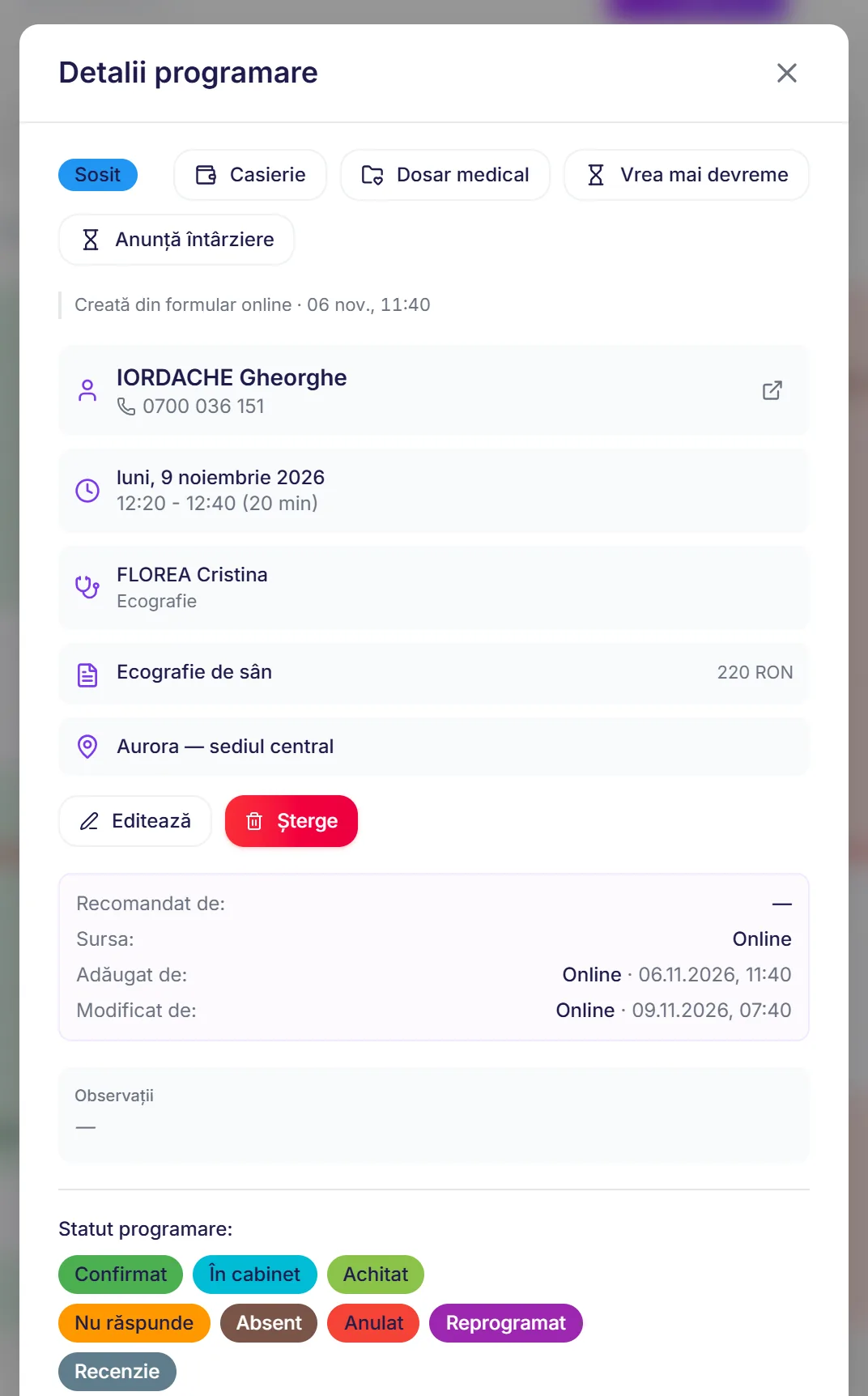
Step 3: It appears in the diary
The appointment goes into the doctor’s diary, marked as booked online. Nobody has to write it down by hand.
-
Step 4: They get a confirmation
The patient receives a confirmation and a reminder on the clinic’s channel (WhatsApp, email or SMS), just like any appointment in Core.
Everything you get in the module
The booking form on your website
On the clinic’s website, patients book themselves at any hour, into the free slots in the real diary.
Doctors and services, always up to date
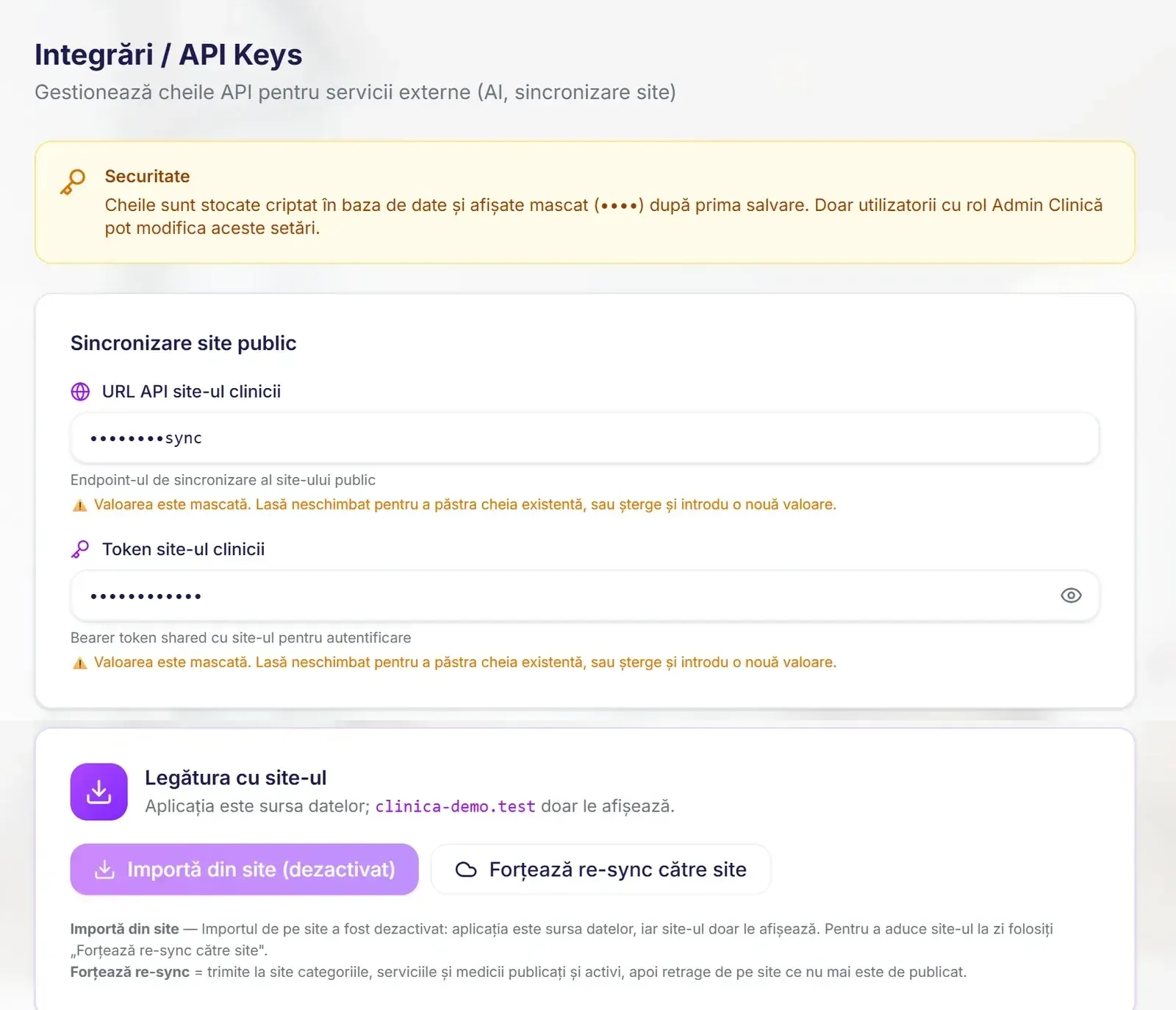
When you add a doctor or change a service or a price in the software, the website updates itself.
You choose what appears online
For each doctor, service and specialty, you decide whether it shows on the website and whether it can be booked online.
Pages written with AI
For doctors and services, the software can write the text of the website page from the description you provide. One click regenerates it.
Daily website check
Every morning, the software compares what’s on the website with what’s in the software and tells you if anything doesn’t match.
Bot protection without cookies
The form protects itself against automated bookings, without reCAPTCHA and without asking patients to click on pictures.
Where bookings come from
If you also have the Marketing module, you can see which appointments came from a particular ad.
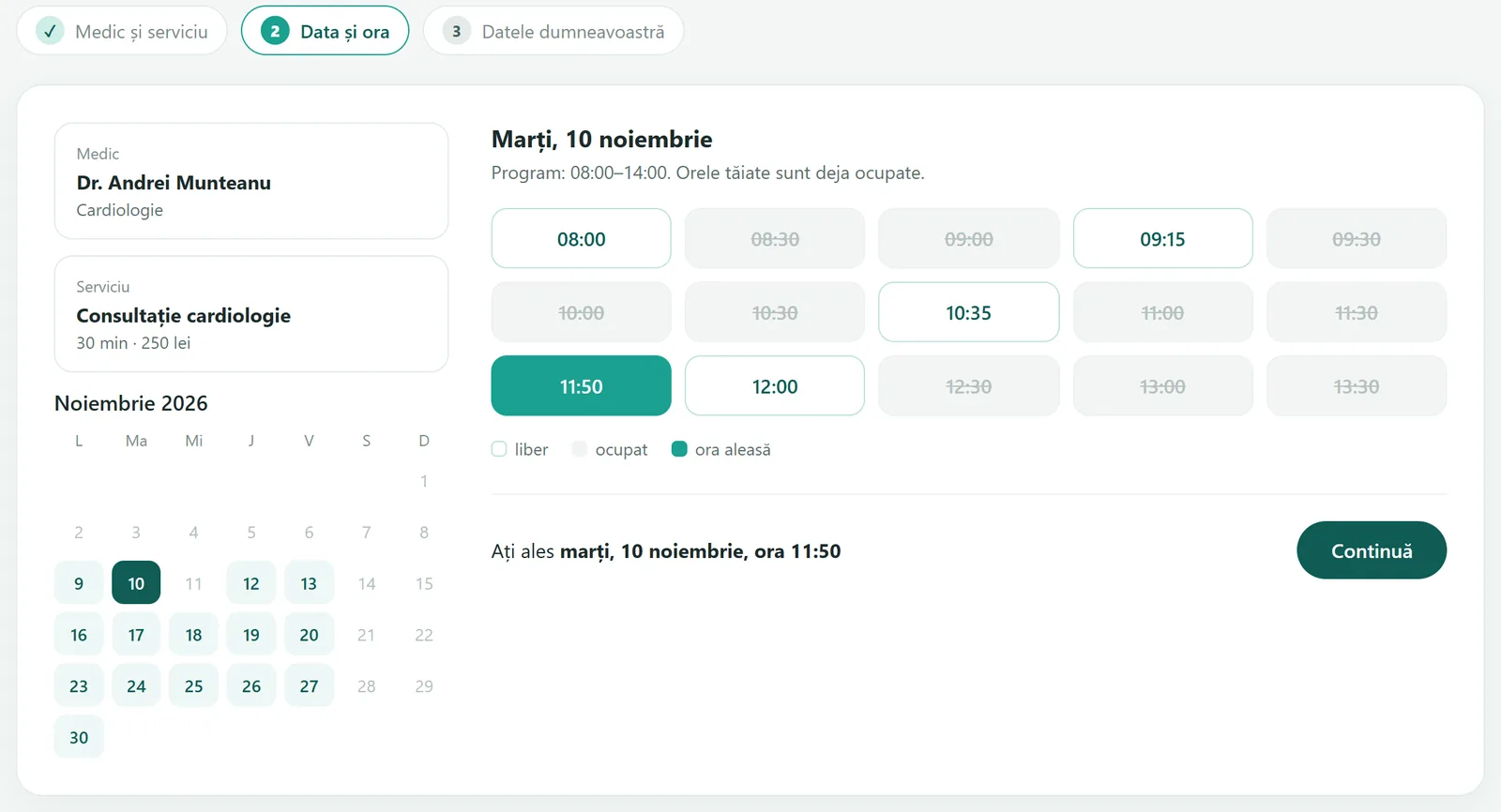
What it looks like in the software
Frequently asked questions
Works with
Want to see how a website booking lands in the diary?
We’ll show you the whole journey, from the form to the confirmation the patient receives, in 15 minutes.