Invoicing & Inventory module
Invoices in SPV, goods received notes and stock, in the same place as the cash desk.
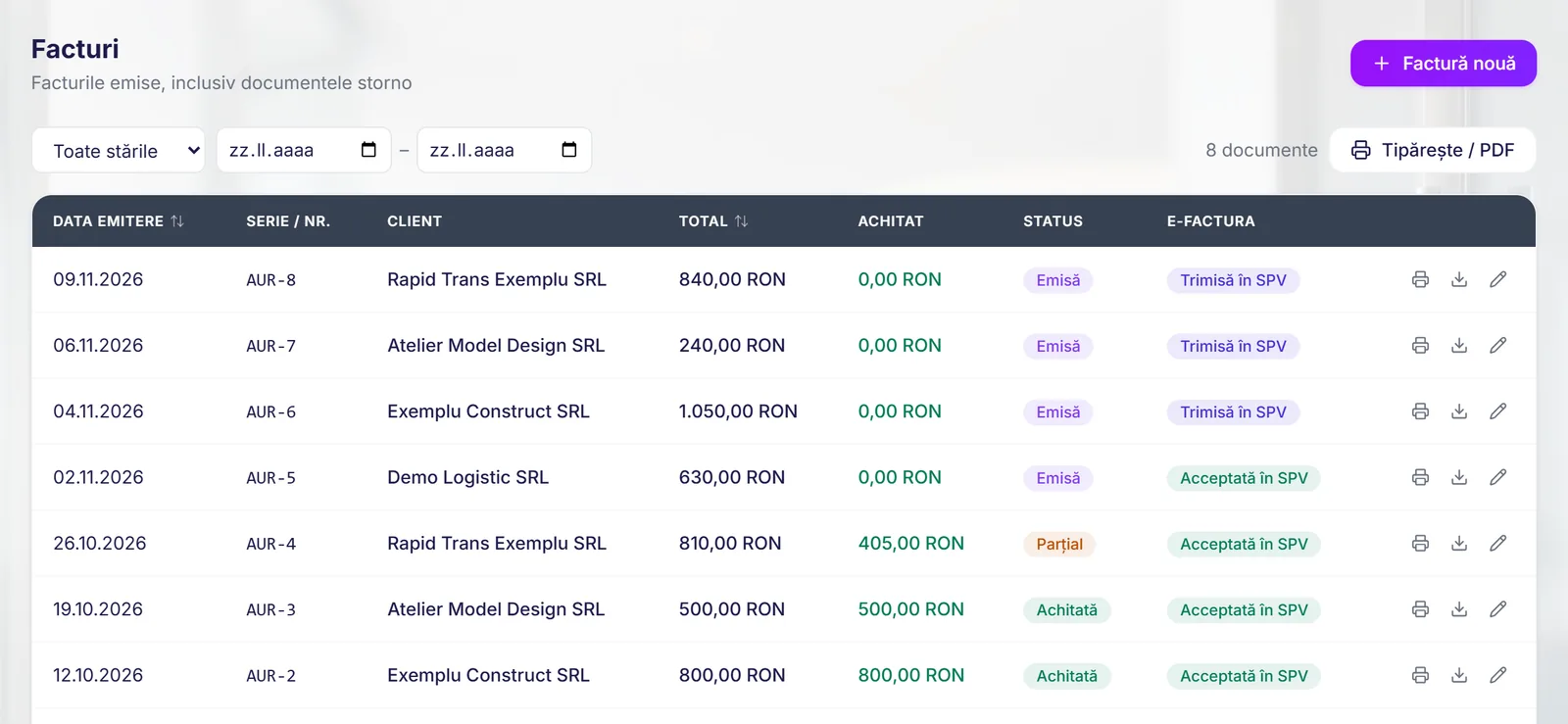
You issue invoices and pro formas, send them to SPV (the online portal of ANAF, the Romanian tax authority), book in goods with a goods received note and see what’s in stock at any time. No second invoicing program, and no exporting between the two.
190 RON / month / location · first month free
How it works, step by step
-
Step 1: You issue the invoice
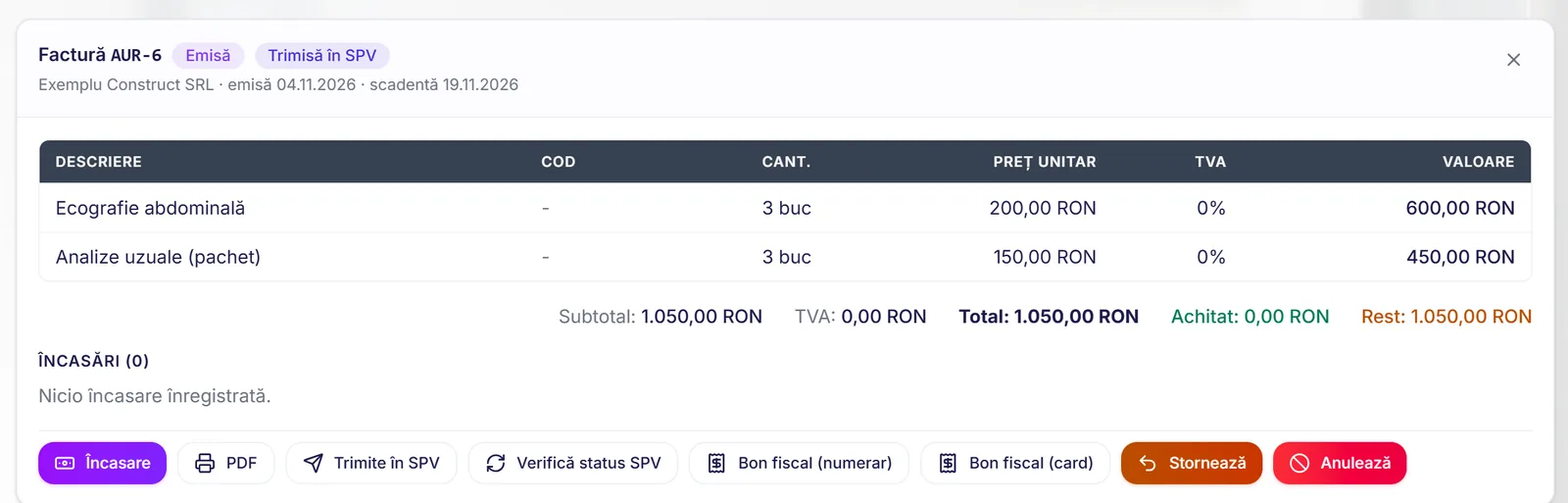
To a company, or straight from the cash desk after taking payment from a patient who asks for an invoice.
-
Step 2: It goes to SPV
The invoice is sent to ANAF through RO e-Factura, Romania’s national e-invoicing system, and you can see its status in the list.
-
Step 3: You receive goods
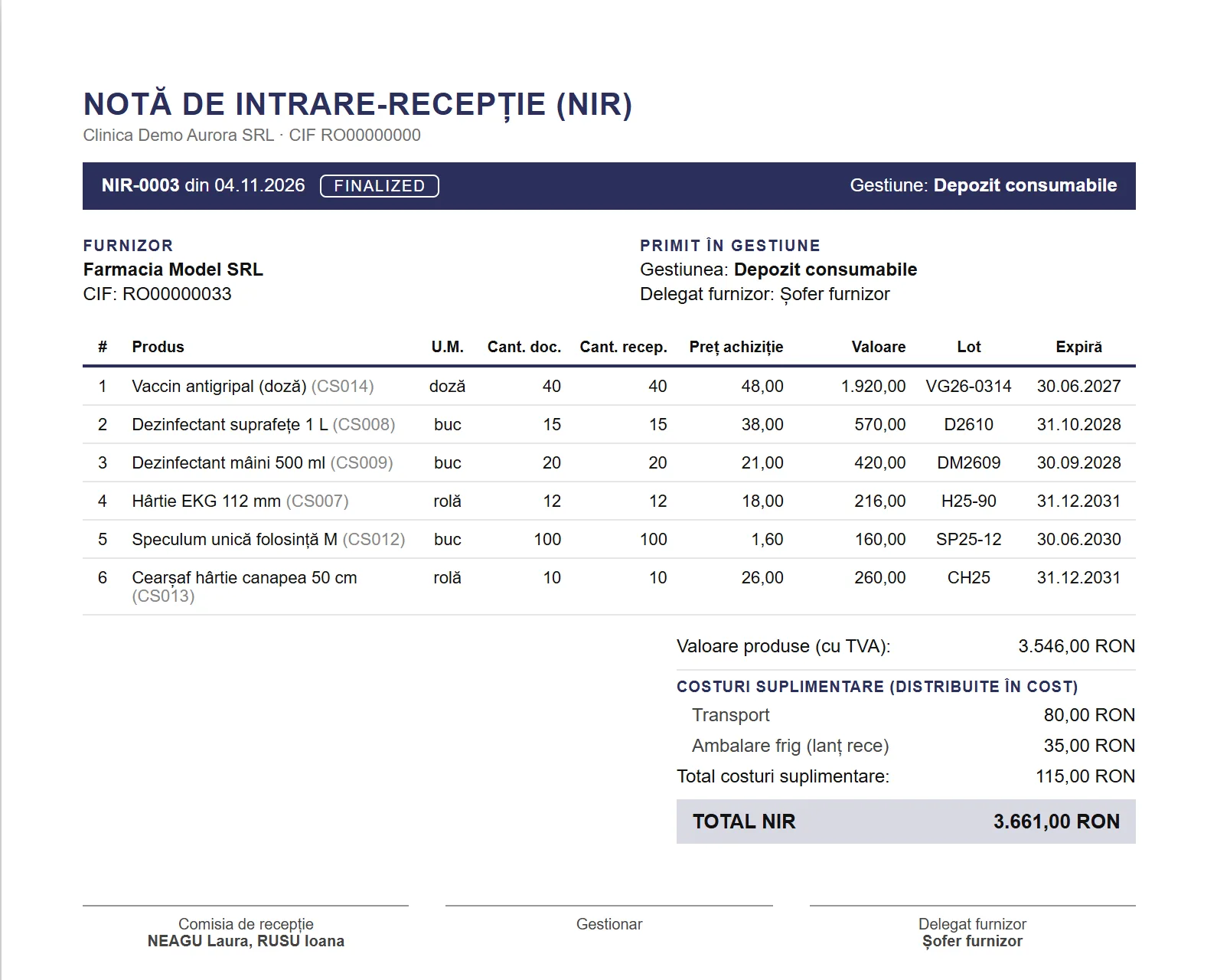
You create the goods received note from the supplier’s invoice. Stock goes up by batch, with the expiry date.
-
Step 4: Consumption and stocktaking
Consumables used are deducted from stock. At stocktaking, the software produces the consumption note.
Everything you get in the module
Invoices and pro formas
With your own number series and saved company clients. An invoice can also be issued from the cash desk, for a patient who asks for one.
RO e-Factura and SPV
Invoices are sent to SPV from the software. A reminder warns you in good time, counting working days, when an invoice hasn’t been sent yet.
Purchases and goods received notes
Goods received notes with the price excluding VAT on each line, transport costs spread across the products and small rounding differences absorbed automatically.
Invoice arriving after the goods
If the supplier’s invoice arrives after the goods, you link it to the goods received note you’ve already made, without touching stock.
Stock by batch
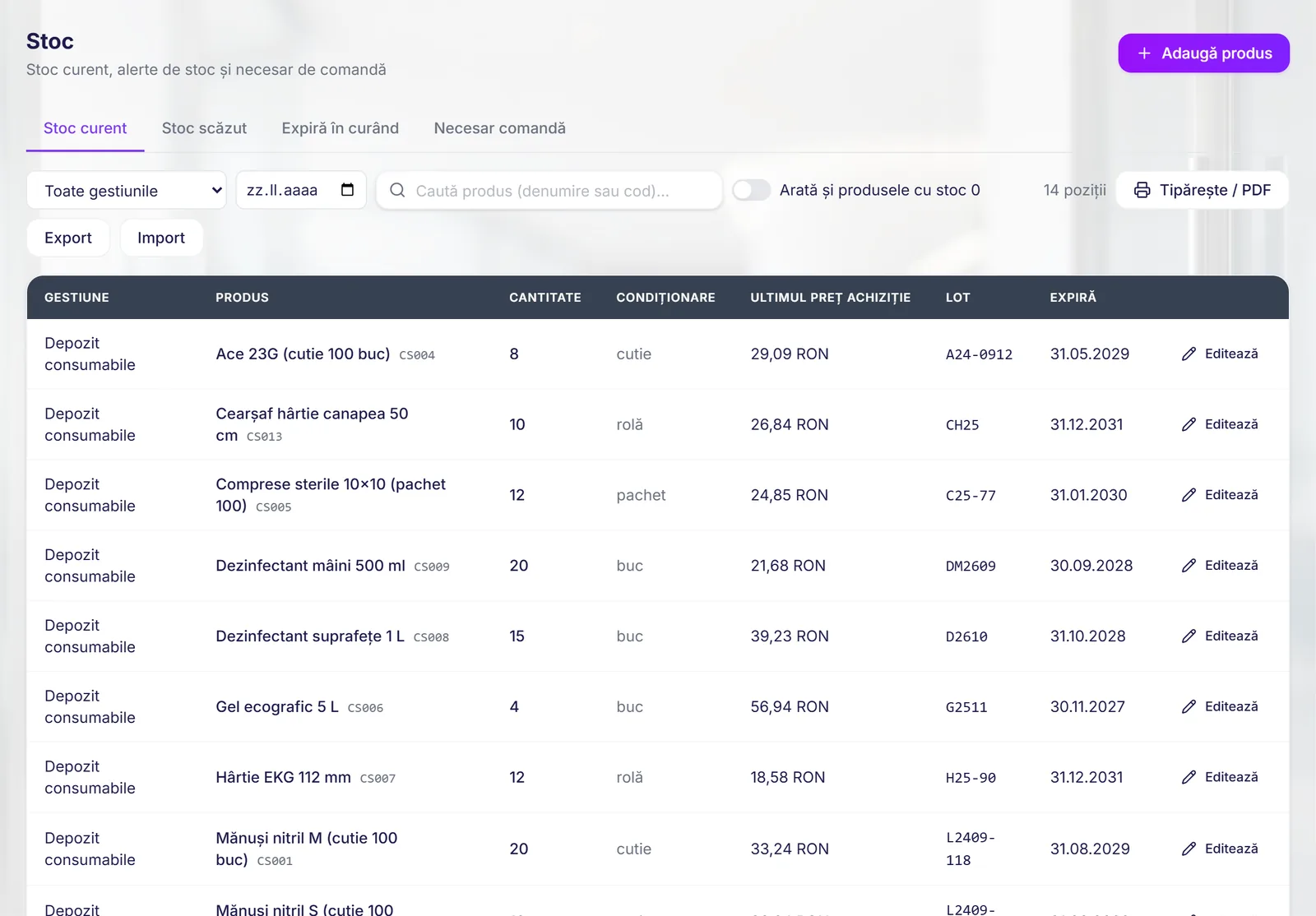
See what you have, where it is and when it expires. Stock movements stay traceable for every product.
Consumption and stocktaking
Consumables are deducted by point of use. When the stocktake is validated, the month’s consumption note is created automatically, starting with the batches that expire first.
Suppliers and payments
Suppliers, their contracts and your payments to them, all in one place.
Access for your accountant
Your accountant gets a read-only profile for sales, purchases, the cash desk and inventory. Lists can be exported as PDF for any period.
What it looks like in the software
Your document templates
We recreate the documents you already use, or build them from scratch. Once a template is made, you can use it as often as you like in MedNexus.
3 free templatesincluded in the module, simple or medium
Templates we build for this module
- Contract with a corporate client
- Contract annex (services, prices)
Additional templates, and the package with the module’s full set of documents, are a one-off payment, excluding VAT. We quote the price based on your documents.
Frequently asked questions
Works with
Want to see an invoice go to SPV?
We’ll show you an invoice, a goods received note and the stock, using a worked example, in 20 minutes.